Naver Map is one of the most useful apps a foreign visitor can install for Korea, but it can feel unfamiliar at first. The app is not just a map; it is a local search system, route planner, restaurant finder, station-exit checker, bus-stop matcher, and address translator. Used well, it reduces the small frictions that make Korea harder than it needs to be.
Set up Naver Map before arrival in Korea
Use NAVER Map web to install Naver Map before arrival, then save the first hotel, airport or station, and several itinerary places while reliable data and account recovery are available.
- NAVER Map web
- VISITKOREA
- NAVER Map on Google Play
- NAVER Map on the App Store
- NAVER Map official service page
- Naver Map – language setting help
Save the Korean address and verify the map pin
Prepare the Korean hotel address, first airport transfer, account recovery, location permission, and a folder of saved places before the flight.
- Location permission and data
- Destination in Korean
- Correct map pin
- Saved offline address
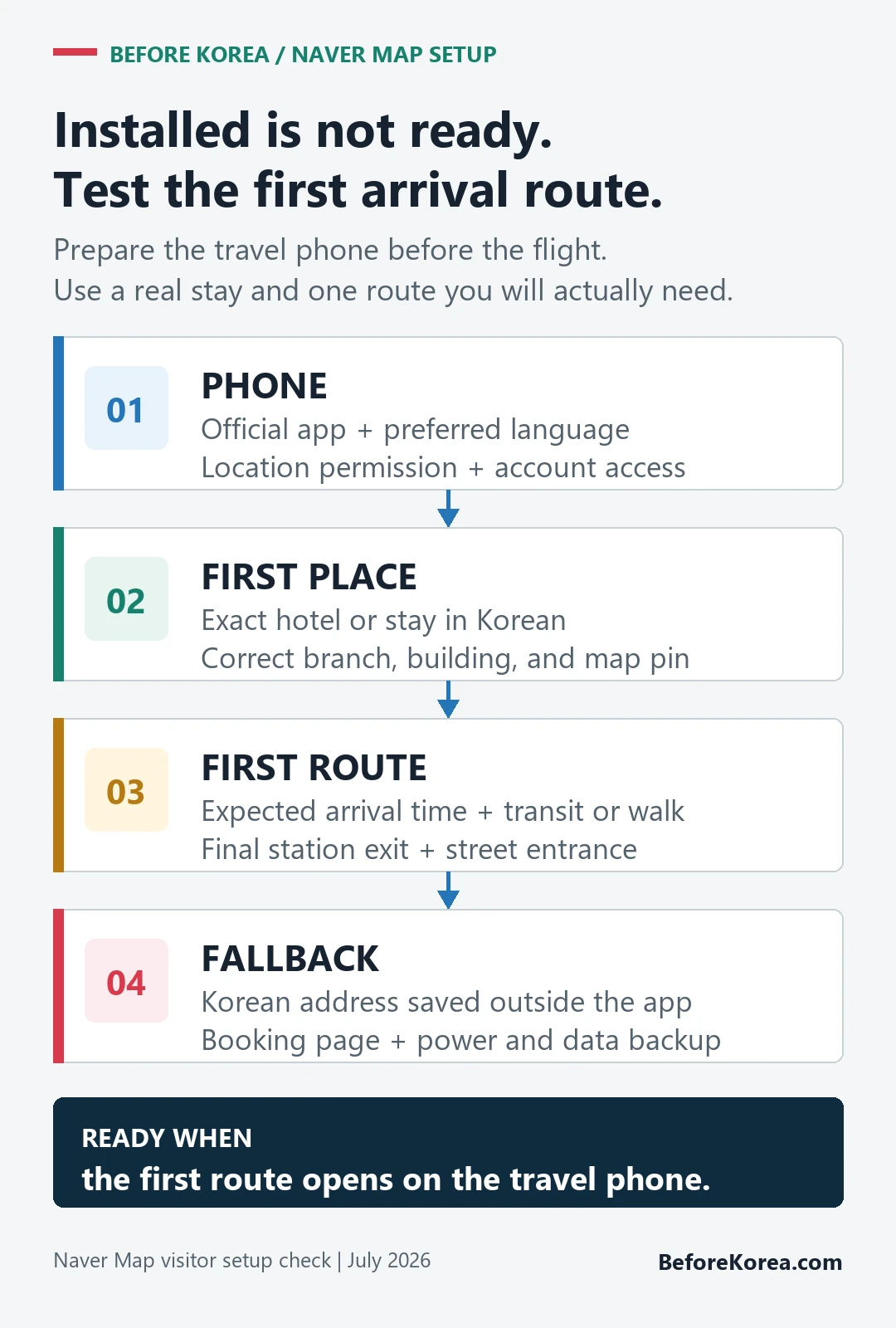
Naver Map is worth setting up before you land. Search your hotel, save the Korean address, test one subway route, and check the station exit. That small test catches most visitor mistakes before you are standing outside the wrong entrance with luggage.
Searches like Naver Map Korea, navermap, and korea naver map usually mean the visitor wants a working map before arrival. Install the app, switch language settings if available, save your hotel in Korean, and test subway, walking, and taxi routes before you need them.
Check the route through the final station exit and walk
- Install the official app, set the preferred language, and test location access before departure.
- Save the hotel in Korean and verify its branch, building, and entrance against the booking.
- Build the first airport or station route for the expected arrival time and luggage situation.
- Save daily destinations and note Korean-only branch names or station exits that may be needed later.
- Keep the essential addresses outside the app so the arrival plan survives a login, battery, or data problem.
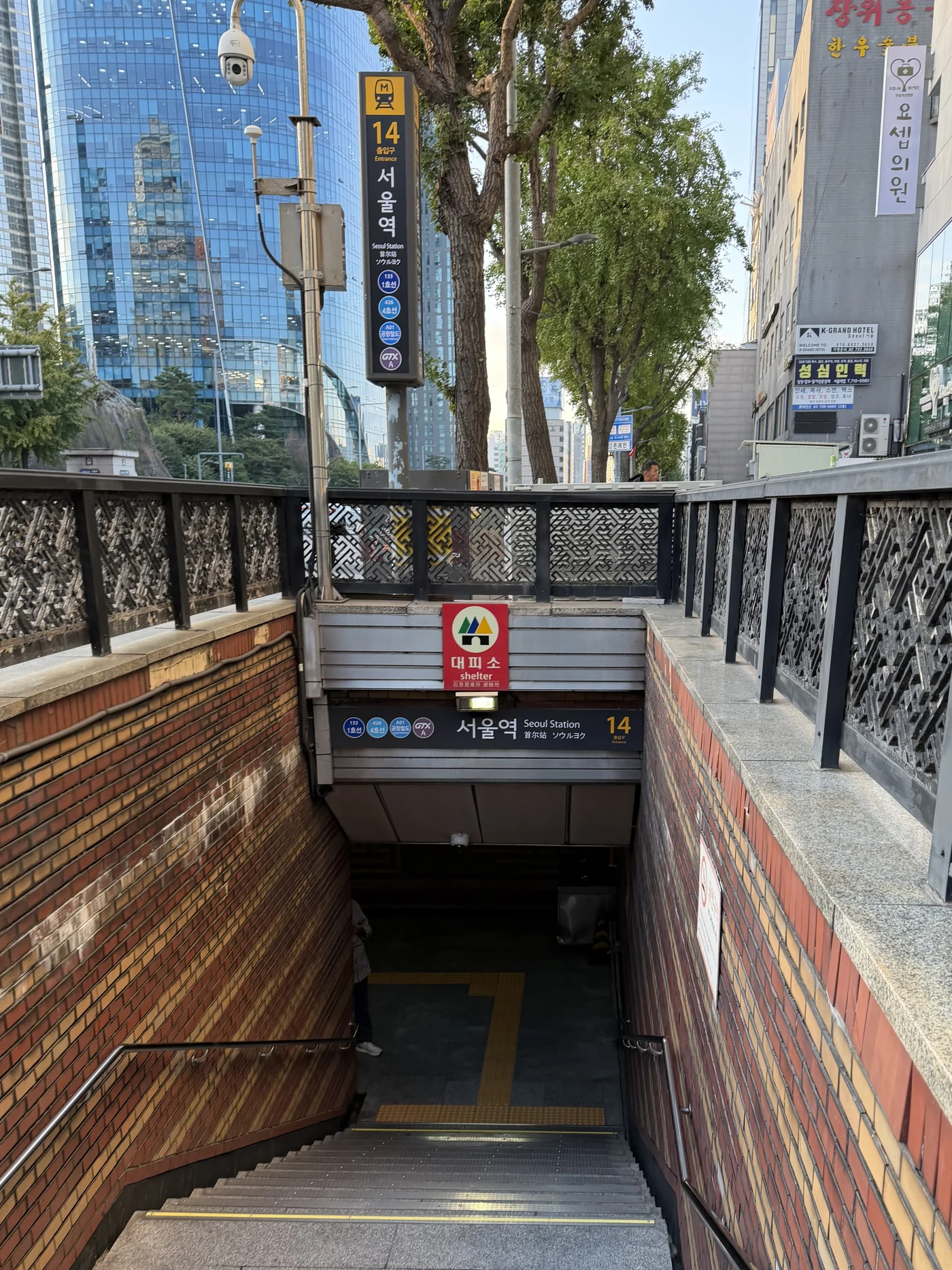

The correct entrance matters more than the area name
Pre-arrival setup is useful when the first route and saved places open correctly on the travel phone. Installation without tested destinations does not reduce arrival risk.
| App check | What it changes |
|---|---|
| What you are trying to do | What to check first |
| Find a route | Use the map search and compare the subway exit, walking time, and last train or bus. |
| Save or reserve a place | Expect account or phone-number friction; keep the official venue website or hotel front desk as a backup. |
| Confirm the official Naver source | Use the Naver Map app or map.naver.com, then compare the Korean address with your hotel or booking page. |
For naver map in Korea, a route result can change with the selected pin, day, time, station exit, and live transit conditions; verify the final entrance before relying on it.
Naver Map booking settings for foreign visitors
A place appearing in Naver Map does not mean it can be booked there. NAVER’s official help says a Reserve, Book, Order button, or booking link appears only when that business supports NAVER Booking. You must log in, and a booking request is not confirmed until its status says the booking is confirmed.
- Set the map language, then log in to the NAVER account you can recover while traveling.
- Search the exact branch and compare its Korean name, address, floor, and phone number with the venue’s own page.
- Use the booking button only when it appears on that listing; its absence can mean the business does not use NAVER Booking.
- Check your NAVER member information before submitting because NAVER says it is used for the booking and should match the booking details.
- If another person will visit, add visitor information where offered. NAVER says booking notifications still go to the logged-in booker.
- Do not travel on “booking in progress.” Save the confirmed status, time, branch, party size, cancellation rule, and payment route outside the app.
| Screen state | What it means | Fallback |
|---|---|---|
| No booking button | The listing is not offering NAVER Booking at that moment | Use the venue’s official site or contact route |
| Booking in progress | The business is still checking availability | Wait for confirmation or contact the business |
| Npay or payment block | The payment route needs a separate check | Check pay-at-store options or ask the venue directly |
| Confirmed | The booking is accepted for the listed details | Save the confirmation and cancellation terms offline |
Use NAVER’s official booking instructions for status and payment details and its visitor-information guide when the booker and visitor differ. Keep the venue’s official website, email, phone number, or hotel front desk as a backup because map discovery, account access, booking confirmation, and payment are separate steps.
If setup cannot be finished before the flight
Retry the Korean name and road address, compare the venue’s official page, and inspect nearby building or branch names before choosing a similarly named result.
Show the saved Korean address to hotel staff, station staff, or a taxi driver when the app cannot settle the final location.
Related guides
Save an event pin only after the building and floor match
For a concert or pop-up, do not save the first place-name result. Match the official Korean venue name, road address, building or hall, floor and event date, then save the nearest station exit and the final entrance separately.
| Map check | Match it against | Save for the day |
|---|---|---|
| Place name and branch | Organizer or host notice | Korean name and event date |
| Road address | Venue operator page | Full Korean address |
| Building, hall and floor | Current event instructions | Entrance, floor and booth name |
| Station exit and final walk | Current route plus physical signs | Exit number and a second entrance option |
Use the official NAVER Map service for the route, then use the venue operator for the final match. For example, the official Olympic Park guide map distinguishes several performance buildings inside one park.
A correct map pin does not confirm that the event is active, that the entrance is open or that a reservation covers that branch. The current host notice controls those details.
Last checked: August 7, 2026. Recheck the pin and event notice on the visit date.