Start with the account or access block
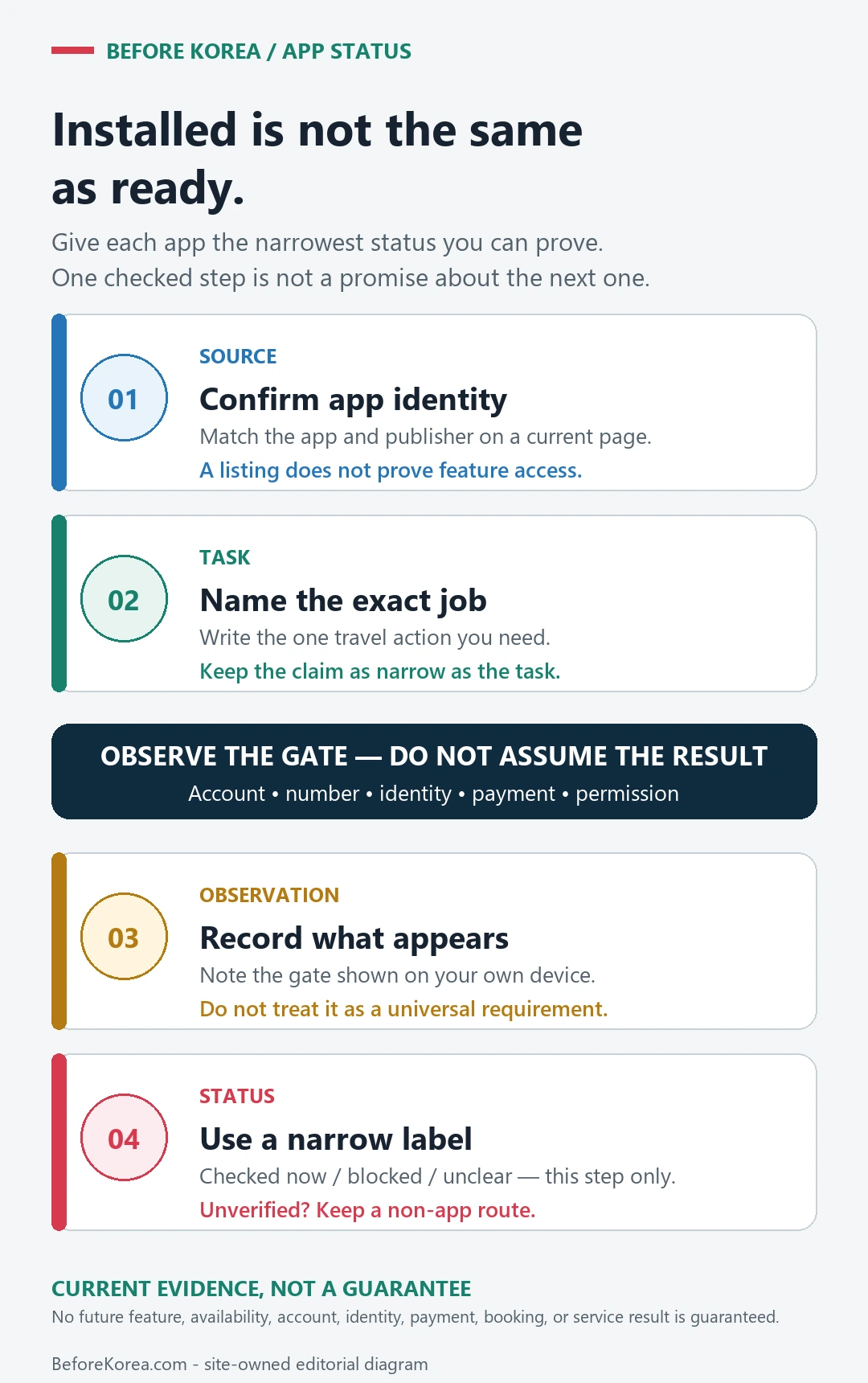
The best Korea app setup is small, tested, and backed up. Installing many apps is less useful than knowing which app handles maps, taxi, translation, payment, delivery, and emergency help. Open the important apps before arrival and check the phone-number or payment blocks while you still have time.
Last checked: June 1, 2026. Re-check the official app, service, or app-store page before acting, because routes, prices, labels, rules, app screens, eligibility, and store/service policies can change.
Last updated: May 23, 2026. Rules, app flows, prices, and eligibility can change, so re-check official sources close to your trip.
How to use this hub guide
This hub is for visitors who want apps to work before a real moment depends on them. It links Naver Map, translation, KakaoTalk, taxi, eSIM, emergency, and delivery-app guides.
It does not promise every foreign visitor can use every app feature. Korea app flows can depend on phone numbers, identity checks, app versions, card support, language settings, and provider policy.
The checks that decide whether the app is enough
| If you are deciding | Check this first | Watch out for |
|---|---|---|
| Navigation | Naver Map guide and Korean place names | English search can be uneven |
| Translation | Papago/Google Translate plus saved key phrases | Camera translation may miss context or allergens |
| Taxis | Kakao T, k.ride, or street taxi fallback | Foreign card or phone verification can be the bottleneck |
| Delivery and local services | Eligibility, address format, phone number, and payment method | Some services are not visitor-friendly without local setup |
The small check that changes the answer
- Open each essential app before departure and check language settings.
- Save important destinations in Korean and English.
- Do not rely on one translation app for allergies or medical needs.
- Understand whether your eSIM includes data only or a local phone number.
- Keep emergency numbers and hotel contact outside app-only storage.
An app setup that does not depend on one fragile step
Build the core stack
Start with maps, translation, messaging/contact, payment/transit support, and emergency information. Add taxis or delivery only if your trip actually needs them.
Test before the airport
Search your hotel, save a route, translate a sample menu, and check whether login works. A failed login is much easier to solve at home.
Prepare non-app backups
Screenshots, written addresses, a hotel card, cash, and staff help still matter. Apps reduce friction, but they should not be your only plan.
Review permissions calmly
Some apps need location, notifications, or camera access. Give only what is needed and avoid rushing through permission prompts in public.
What this means in the real moment
A place does not appear in English
Search by Korean name, nearby landmark, or copied address. Ask hotel staff to write the exact name if needed.
A taxi app will not accept your card
Use pay-to-driver if available, try another app designed for visitors, or use an official taxi stand.
A delivery app blocks signup
Do not build meal plans around it. Use restaurants, convenience stores, hotel help, or visitor-friendly food courts.
A safer way to make the decision
| Situation | Safer default | Why |
|---|---|---|
| First-time visitor | Naver Map, translation, eSIM, T-money/payment guide | These affect the first day directly |
| Solo traveler | Add emergency numbers and taxi backup | Recovery options matter more when no one else can troubleshoot |
| Longer stay | Check local phone-number needs more carefully | More services become useful but also more verification-heavy |
Sources to re-check
Use these pages for facts that can change by date, operator, airport, app version, store, or traveler status.
- NAVER official press release on NAVER Map guide for foreign visitors
- NAVER Papago official site
- Kakao T app listing
- Visit Seoul practical information
Where to go next
- Naver Map in Korea
- Papago vs Google Translate in Korea
- Kakao T vs Uber in Korea
- Korea eSIM with Phone Number
Official links to check
Use these official links when the next step matters. This guide explains what to watch for, but app downloads, eligibility, prices, routes, policies, and service rules can change.
- NAVER Map web: Use the web map to test place names, Korean addresses, routes, and station exits.
- NAVER Map on Google Play: Download the Android app from Google Play.
- NAVER Map on the App Store: Download the iPhone app from the App Store.
- Kakao Map web: Use Kakao Map to cross-check Korean place names, local search, and routes.
- KakaoMap on Google Play: Download the Android app from Google Play.
- KakaoMap on the App Store: Download the iPhone app from the App Store.
- Google Maps: Use Google Maps for saved places, broad planning, and familiar map features.
- Google Maps on Google Play: Download or update the Android app from Google Play.
- Google Maps on the App Store: Download or update the iPhone app from the App Store.
- KakaoTalk official service page: Check Kakao's official KakaoTalk service information.
- KakaoTalk on Google Play: Download the Android app from Google Play.
- KakaoTalk on the App Store: Download the iPhone app from the App Store.
FAQ
Can I use only Google Maps in Korea?
It may help for general place context, but many visitors need Korean map apps for more reliable routes, place names, transit details, and station exits.
Do I need a Korean phone number?
Not always. But taxis, delivery, reservations, and account recovery may be easier or only possible with local verification.
Should I install apps after arrival?
Install and test the essential ones before departure. Airport Wi-Fi, fatigue, and account verification make arrival a poor time to troubleshoot.