Translation apps are strongest when you use them as support, not as authority. In Korea, Papago can be especially useful for Korean text and local phrasing, while Google Translate can still help as a second check. Use both for high-risk moments like allergies, clinics, addresses, or payment problems.
Test both apps in the mode you will actually use
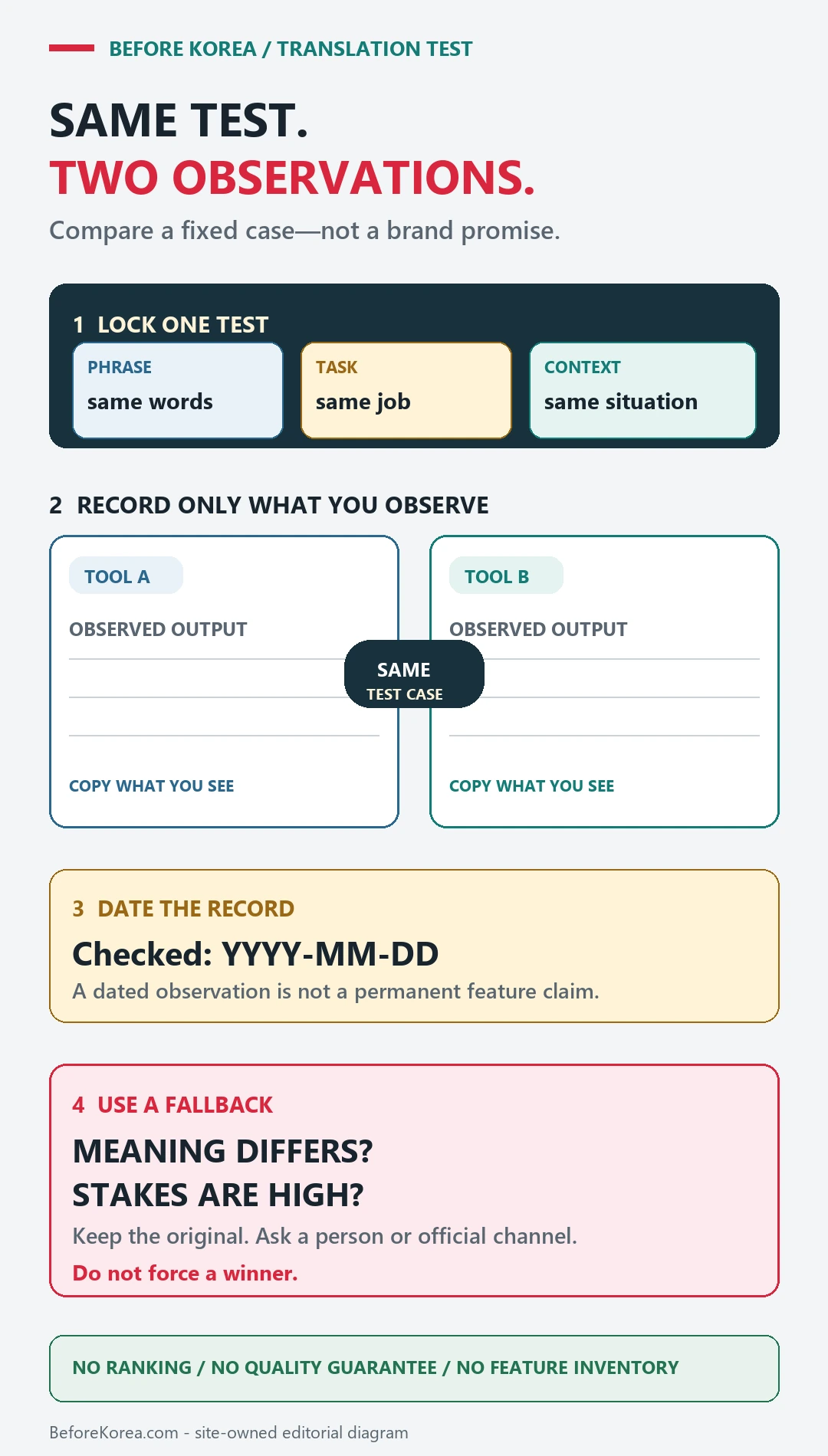
The official Papago listing describes text, image, voice, conversation, and offline translation. A feature list is not proof of accuracy for your task. Test the same language pair and input in both apps, then check the specific mode you need with mobile data turned off.
- NAVER Papago on Google Play
- VISITKOREA
- Korea Tourism food translation reference
- Google Translate web
- Google Translate on Google Play
- Google Translate on the App Store
Keep critical names, numbers, and Korean text unchanged
Choose the language pair, download any supported offline language, save critical phrases, and keep original Korean text for names, addresses, allergies, or medicine.
- Language pair
- Text, voice, or camera mode
- Downloaded offline language
- Saved critical phrase
For a Korean menu or sign, start by checking whether the app read the original characters correctly. If glare, small print, or a cropped line changed the input, comparing polished translations will not fix the missing information. Retake or crop the image before comparing the two outputs.
Use the second app as a disagreement check, not a deciding vote. If the outputs differ, isolate the word or sentence that changed and show the original to the person who can confirm it. If both outputs agree, that still does not prove an ingredient, medicine instruction, or urgent message is correct.
Compare text, voice, camera, and offline behavior
- Test short typed sentences and proper names before relying on a long automatic translation.
- Try voice and camera translation in lighting and noise similar to the expected situation.
- Check which functions still work in airplane mode and which require data or an account.
- Keep dates, quantities, addresses, ingredients, and medical terms in their original form beside the translation.
- Ask a person to confirm any translation that could affect health, safety, money, a legal document, or a missed journey.
Routine translation and high-stakes interpretation are different jobs
Papago is useful for routine context when the input is clear and the traveler can compare the original. It should not be the only evidence for a serious allergy, medicine instruction, contract, or emergency message.
| Same input in both apps | What to compare | When to stop relying on the output |
|---|---|---|
| One clear menu photo, cropped to the same dish and price | Check that both apps read the Korean characters and attach the price to the same item before judging the English wording. | A missing ingredient or changed quantity needs staff confirmation; matching translations do not establish allergy safety. |
| The Korean hotel name and full address copied from the booking | Compare recognition of the building name, street number, and destination. Keep the original Korean beside either result. | Do not send a rewritten place name to the driver when it points to a different building; show the saved booking address and map pin. |
| One short spoken request, in the same language pair | Read the recognized input first. Separate a microphone or recognition error from a translation error. | If a date, negation, amount, or destination changes, type a shorter sentence and ask the recipient to confirm it. |
These are comparison exercises, not results from a measured head-to-head accuracy test. Keep whichever app makes your routine task easier to check, and keep a saved Korean address or human help channel for a failure. Neither app should be your only interpreter for a health, safety, or legal decision.
If the translation changes the meaning
Shorten the sentence, remove slang, keep names and numbers unchanged, and compare text, voice, or camera results instead of repeating the same input.
Use hotel staff, an official help desk, a clinic interpreter, or another human channel when a wrong answer would have a serious consequence.