Neither Coupang Eats nor Baemin is automatically the better choice for every foreign visitor. Use the app that lets your current account complete phone verification, Korean address entry, payment, and rider handoff, and test those steps before you need a meal. Keep pickup, hotel-desk help, or a walk-in restaurant as a backup.
Seeing NICE*BAEMIN or NICE*BAEMIN SEOUL on a card statement or verification screen? That is a payment-descriptor or identity-check question, not the same as choosing a delivery app. Go directly to the NICE*BAEMIN charge or verification checklist and match the amount, date, order, and official lookup route.
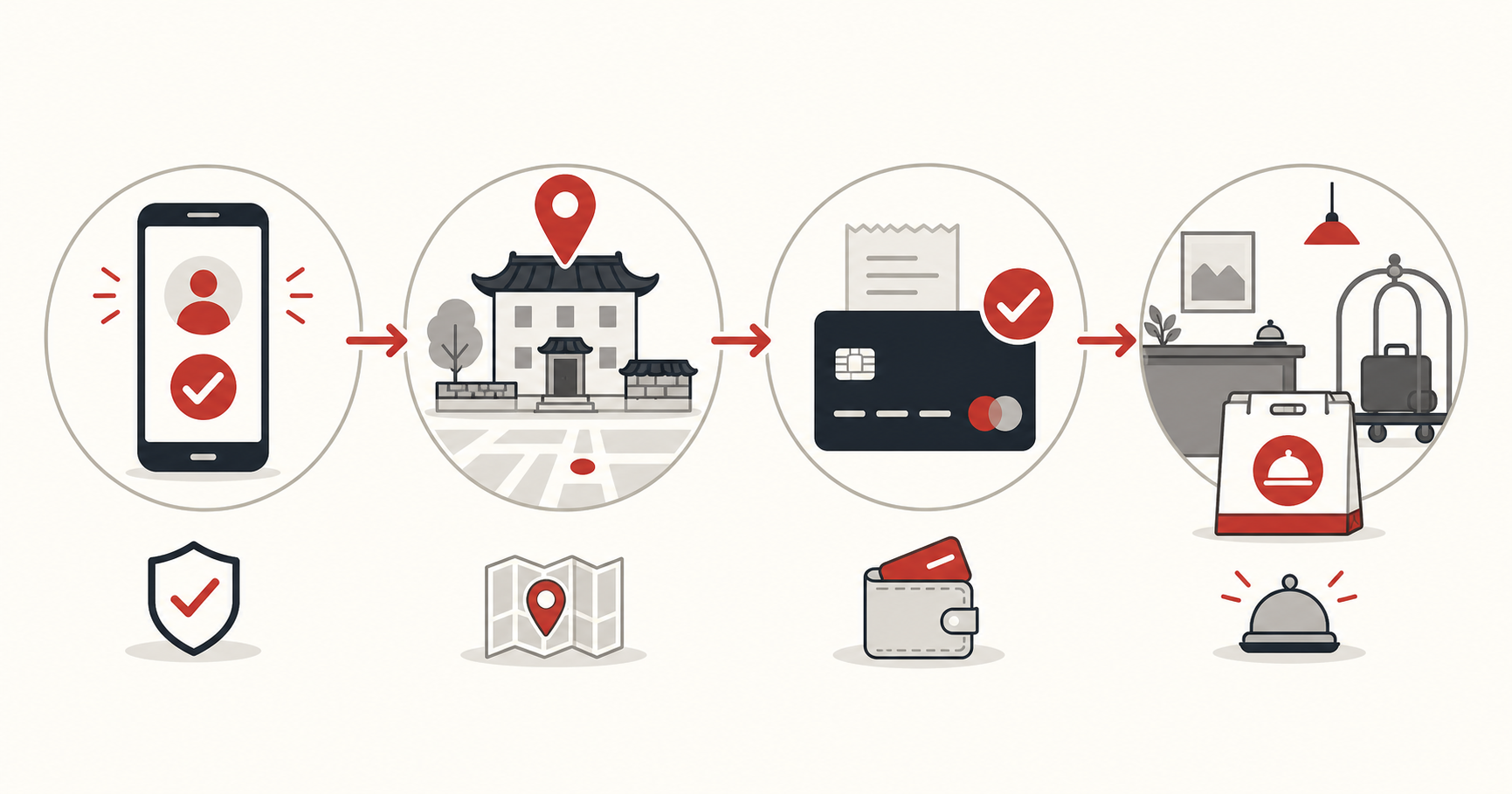
Test both apps through checkout and handoff
Open the official Coupang Eats and Baemin pages first. Use the Korean address tool only to confirm the road-name address; it cannot tell you whether either app will accept the account, phone number, or payment method.
- official Coupang Eats site
- Official Baemin service
- Korea Road Name Address official English site
- VISITKOREA
- Coupang Eats on Google Play
- Coupang Eats on the App Store
Prepare the Korean delivery address and a food backup
Save the delivery address in Korean, include the building and room or lobby detail, keep a reachable phone number, and decide where the rider can hand off the order.
- Phone and data access
- Verification requirement
- Accepted payment
- Korean delivery address
If neither app works, ask your hotel or host whether they can order for you, use pickup where available, or choose restaurants that support walk-in ordering.
Will a foreign card work in Coupang Eats or Baemin?
Sometimes, but an app accepting foreign cards does not mean every overseas card will clear every checkout. Use the current Baemin Global page and the live checkout screen rather than an old workaround. For Coupang Eats, confirm the payment options shown to your account and address at the final total.
- Set the exact Korean delivery address and restaurant before judging the payment route.
- Read the final KRW total, including delivery fee, service fee, discount, and minimum order.
- Select the card offered by the current checkout and complete only the issuer verification you started yourself.
- If the card is declined, check the issuer app for an international, online, or authentication block before repeating the charge.
- If the app still fails, use its official support route or switch to pickup, hotel-desk help, or a walk-in meal.
If your statement later shows NICE*BAEMIN or NICE*BAEMIN SEOUL, do not treat this comparison page as proof of what happened. Use the dedicated NICE*BAEMIN charge-or-verification checklist to match the amount, date, order, payment status, and official transaction record.
Test verification, address, payment, and rider contact
- Install each official app and test whether account creation and phone verification can be completed.
- Enter the same Korean delivery address in both apps and check whether the building and unit can be selected correctly.
- Add the available payment method and continue to the final confirmation screen without placing an unwanted order.
- Check restaurant coverage, minimum order, delivery fee, estimated time, and how rider calls or messages will be handled.
- Keep a fallback: hotel-desk assistance, direct restaurant pickup, or a nearby restaurant that accepts walk-in orders.
Browsing restaurants is not the same as completing an order
The better delivery app is the one that completes verification, recognizes the exact address, accepts payment, and gives a workable handoff. A larger restaurant list is irrelevant when checkout cannot be completed.
| Check | Coupang Eats | Baemin | Safer action |
|---|---|---|---|
| Foreign phone number | Use the number options shown in the current signup flow. | Use the number options shown in the current signup flow. | Test with the number you will carry in Korea before relying on delivery. |
| Account creation | Complete the current account steps before choosing a restaurant. | Complete the current account steps before choosing a restaurant. | Stop and note the exact screen if signup or identity confirmation blocks you. |
| Card and payment | Use only the methods offered at the final checkout for your account and address. | Use only the methods offered at the final checkout for your account and address. | Do not assume that every overseas card will clear; confirm the KRW total before placing the order. |
| Address entry | Test the exact Korean road-name address, building, and unit. | Test the exact Korean road-name address, building, and unit. | Confirm the address with the official road-name address tool, then verify the pin in the app. |
| Rider contact | Check the current call or message route before checkout. | Check the current call or message route before checkout. | Keep a reachable number and a Korean handoff note for the lobby or entrance. |
| Language support | Check the current app and support screens; coverage can vary by screen. | Check the current app and support screens; coverage can vary by screen. | Keep the Korean restaurant, address, and building names ready. |
| Fallback | Use pickup or another ordering route if the same step remains blocked. | Use pickup or another ordering route if the same step remains blocked. | Ask the accommodation desk or choose a walk-in restaurant instead of repeating an uncertain charge. |
Baemin vs Coupang Eats: run one checkout test
Start with the information each company publishes. Baemin’s official English visitor page describes ordering to a hotel, Airbnb, or a place such as the Han River, plus checkout with your go-to payment method. Treat that as a starting point, not a promise that every card, address, or restaurant will work.
For Coupang Eats, use the documented controls in Coupang’s current English notice: My Eats > Addresses, Payment, Settings. If an address or payment option fails, the same notice directs users to My Eats > Customer Support.
Before choosing, enter the same address and, where available, the same restaurant in both apps and stop before payment. Compare the final total, delivery fee, ETA, address acceptance, and payment options actually displayed. Keep the app that completes those checks and use the other as a fallback.
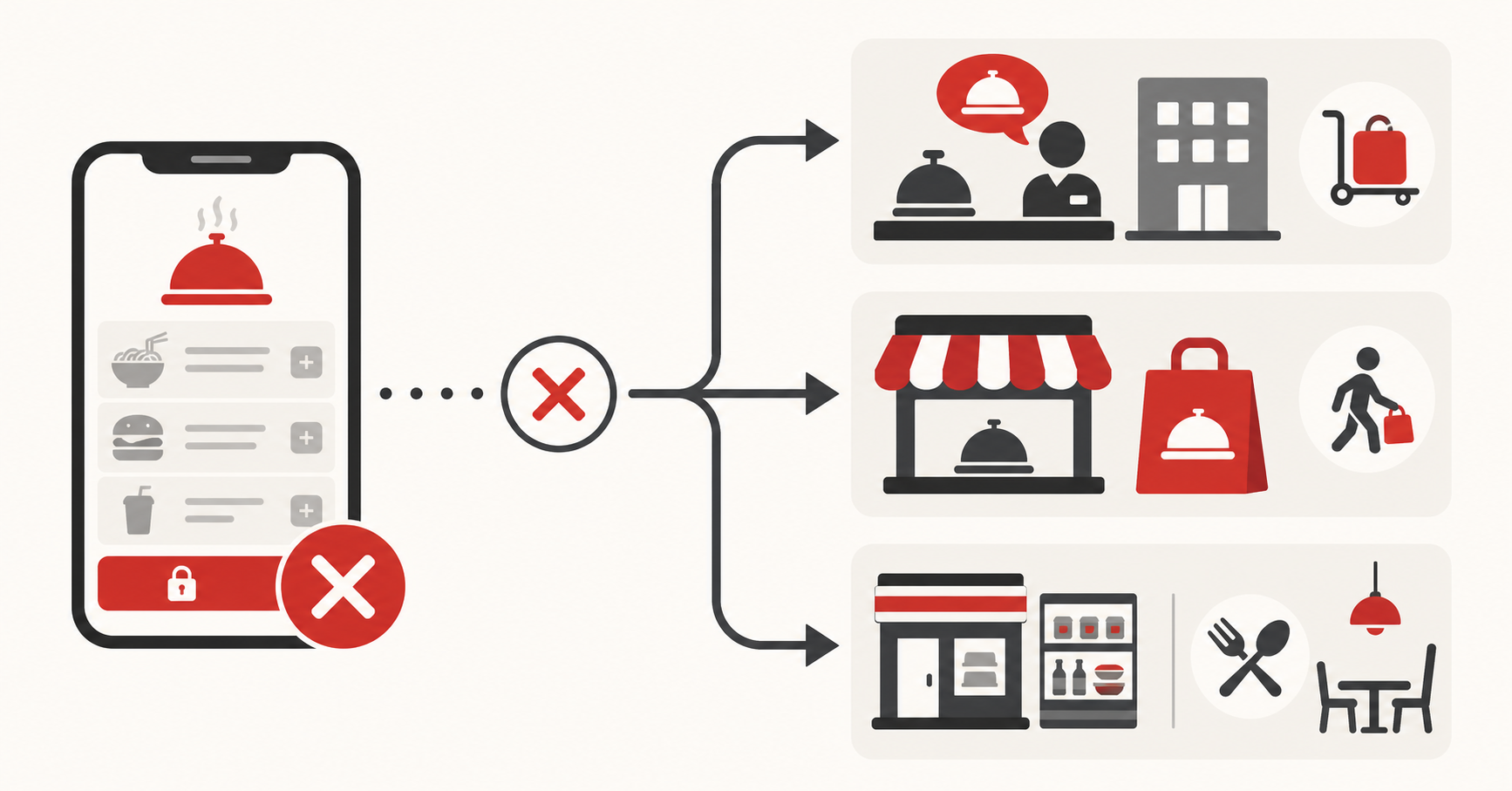
If neither app reaches checkout
Identify the blocked step before trying random fixes: account verification, Korean address entry, payment, restaurant coverage, and rider contact require different solutions.
Ask the accommodation whether staff can receive a delivery or help place an order, or switch to pickup or walk-in service that avoids the same failed step.