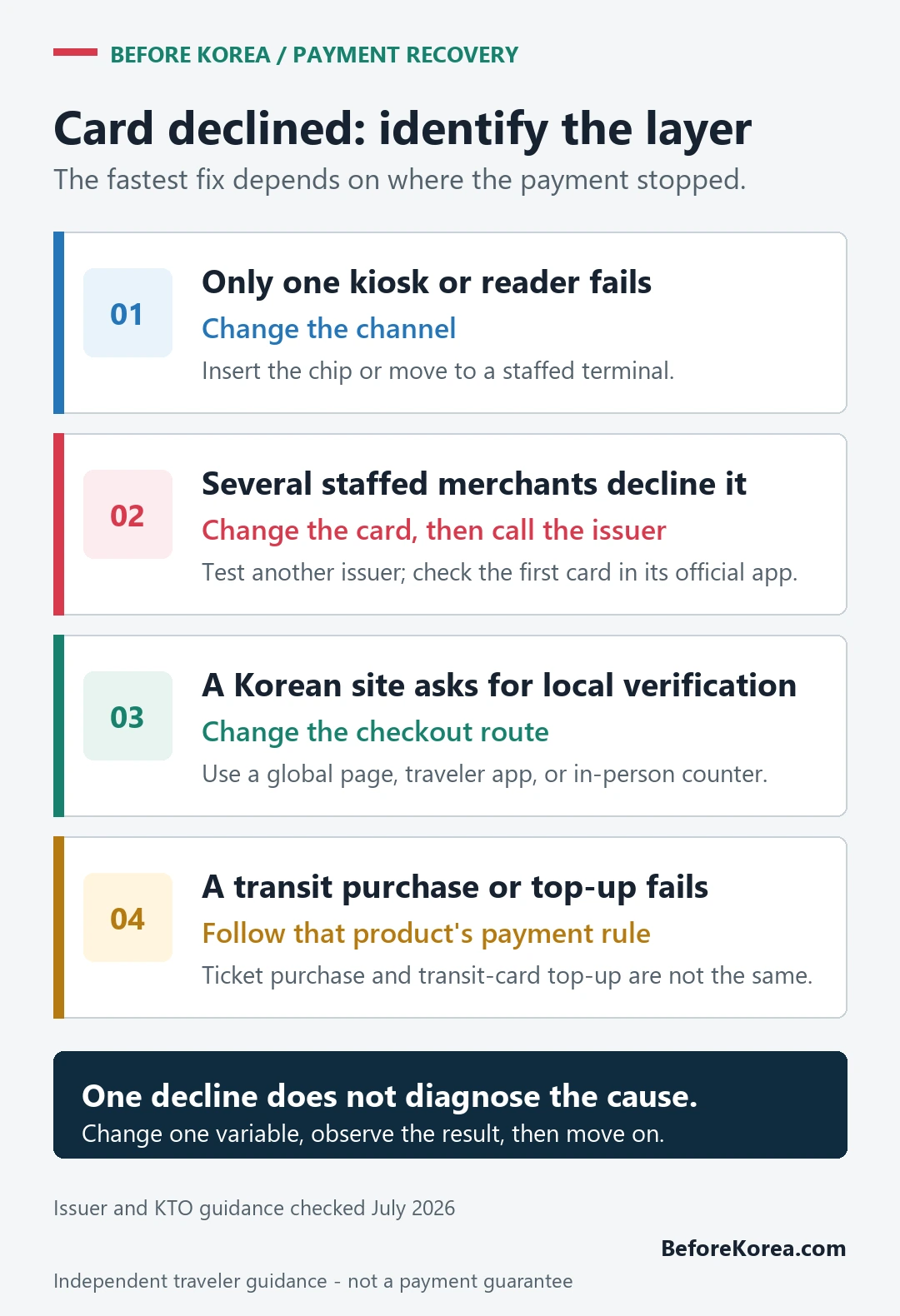
If your foreign card is declined in Korea, stop after one repeat attempt and change one variable at a time. Insert the physical card if tapping failed, ask for a staffed terminal if a kiosk failed, and then try a second card from a different issuer. If the same card is declined at more than one staffed merchant, check the issuer’s app or call the number on the card. A Korean website asking for domestic identity or phone verification is a different problem; another card often will not fix that screen.
If the payment result is unclear, do not pay again yet. Check the receipt or order history, ask staff whether the earlier payment or order was recorded, and compare that with the transaction in your card app. Keep the merchant name, time, amount and error message. If those records disagree, contact the merchant or your issuer before another attempt.
Chase explains that a pending card transaction has not been fully processed. A pending entry is neither proof of a completed purchase nor proof that payment failed. Processing time varies; use your own issuer for account-specific advice. Payment-state guidance checked September 13, 2026.
Last checked: July 22, 2026. Before Korea is an independent traveler guide. A merchant, terminal, card network, and issuing bank each control different parts of a payment, so no guide can guarantee acceptance at a particular checkout.
First, identify which layer refused the payment
A decline at one machine does not prove that the card is unusable in Korea. The useful clue is where the same card works and where it stops.
- Only one kiosk fails: suspect the machine, payment route, or contactless reader before blaming the card.
- A staffed counter accepts it: keep using staffed payment and do not spend the trip repeatedly testing the kiosk.
- Several staffed merchants decline it: the issuer, available balance, overseas-use setting, or a security block needs checking.
- A Korean website asks for a Korean phone, identity check, or domestic card: this is usually a checkout-eligibility problem, not an ordinary point-of-sale decline.
- A transit top-up machine refuses the card: treat transit as a separate payment system and move to its stated cash or supported-card route.
If a Korean gas station terminal does not charge your foreign card
If the pump or terminal declines the card and fueling never starts, stop repeating the same tap. Ask the attendant to check the previous transaction before trying the physical chip or a second card. If fuel was dispensed or the issuer app shows a pending authorization, keep the receipt and check the final posted amount before deciding that the station did not charge you.
| What you see | What to do next |
|---|---|
| Pump declined; no fuel; no issuer alert | Ask the attendant to check the earlier attempt; no alert alone does not establish the payment result. Change the payment route only after the earlier state is clear |
| Pending amount but no final amount yet | Save the receipt and ask the card issuer whether it is an authorization hold |
| Fuel dispensed but the final charge is missing | Do not assume the purchase was free; keep the station, time, pump, liters, KRW amount, and receipt for the merchant and issuer |
| Pending amount differs from the receipt | Wait for settlement under the issuer’s stated policy, then compare the posted charge with the receipt |
Visa’s consumer support explains that an issuer may place a temporary hold when the final fuel amount is not known and directs cardholders to their issuer for account-specific questions. That general card-processing explanation does not prove how a particular Korean station or issuer handled your transaction. The receipt, merchant record, and issuer record answer different parts of the problem.
At a shop or restaurant, change the channel before the card
Once staff confirm that the earlier attempt was declined rather than paid or still unresolved, change one variable: try the physical chip after a failed tap, or ask for staffed payment after a kiosk failure. Use a second card from another issuer if the first is still declined. If a receipt, order or card alert suggests that payment may already exist, resolve that record before another charge.
Keep the purchase simple while troubleshooting. Do not hand over a PIN, one-time password, banking-app approval, or a photograph of the card to a stranger. Staff may need to retry the terminal, but card-account verification belongs between you and the issuer.
For a machine-specific ordering problem, the Korean restaurant kiosk guide explains when to move from the screen to a staffed counter.
If a second staffed merchant also declines the card
Move from merchant troubleshooting to issuer troubleshooting. Both Visa consumer support and Mastercard’s cardholder FAQ direct customers with declined transactions to the financial institution that issued the card. The issuer can see account-specific reasons that a merchant or travel guide cannot.
- Open the issuer’s app on a trusted connection and look for a declined-transaction alert or overseas-use control.
- Confirm that the account has available funds or credit and that the physical card has not expired.
- Call the issuer using the number in its app or on the card, not a number supplied by an unknown message or search advertisement.
- Use the backup card or cash while the issuer checks the first card. Do not keep forcing repeated authorizations at the same terminal.
If the problem is cash withdrawal rather than a purchase, use the separate cash, cards, and ATMs guide; ATM networks, limits, and fees add another layer.
A Korean website rejection is usually a different problem
A card can work in a physical store and still fail on a Korean website or app. The checkout may expect a Korean-issued card, a Korean phone number, local identity verification, or an account tied to a domestic payment service. Re-entering the same foreign card does not remove those requirements.
Look for an official global checkout, a traveler-facing app, an in-person counter, or another seller that explicitly accepts international cards. The Korean websites and foreign cards guide covers this online-verification problem without mixing it with in-store declines.
Transit and ticket machines need their own backup
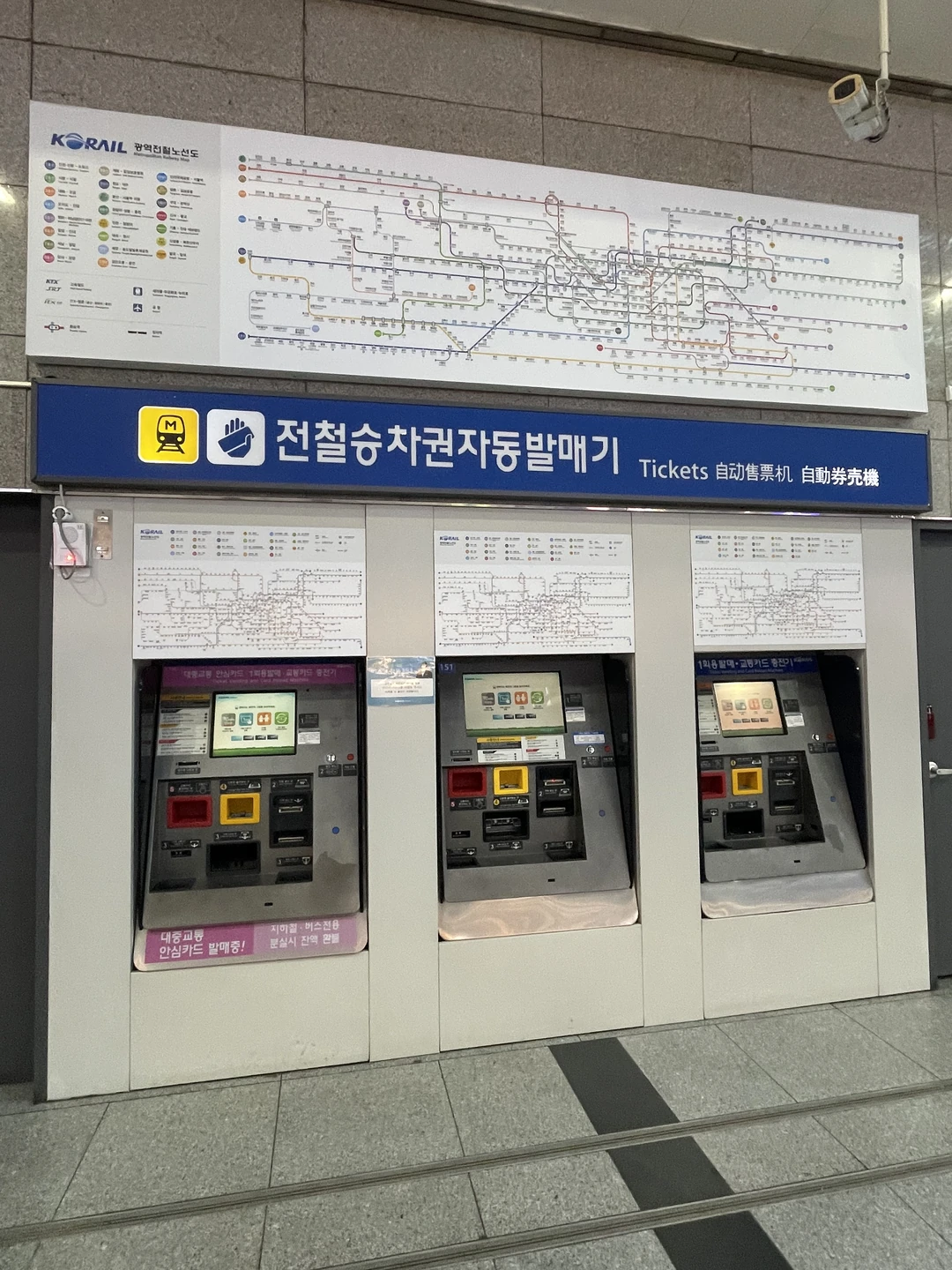
Do not infer one rule for every Korean transport machine. The Korea Tourism Organization’s May 2026 transportation guide for international visitors distinguishes among ticket counters, new single-use ticket machines, card readers, and prepaid transit-card top-ups. It says foreign-issued cards are accepted at several ticket-purchase channels, while T-money purchase and top-up are listed as cash-only.
That is why a foreign card failing at a T-money recharge point does not prove it will fail at a staffed rail counter or another merchant. Carry enough Korean won for an arrival-day transit top-up, read the payment labels on the current machine, and check the official VISITKOREA transportation-card page before relying on one top-up method. The T-money tourist mistakes guide handles card purchase, loading, tapping, and refund details.

Build a backup that works without another app setup
The strongest travel setup is deliberately ordinary: two physical cards kept separately, the issuer’s verified support details saved offline, a modest Korean won cash reserve, and a transport-card plan. Use the broad payment in Korea guide when planning before the trip; this page is for the failure already happening in front of you.
A visitor prepaid product can be an optional extra, not a requirement. If you are considering one, check the current fees, loading methods, refund terms, and supported functions on the official WOWPASS site. Do not buy a new payment product solely because one terminal rejected a card that works elsewhere.
What one decline cannot tell you
A decline does not identify the responsible party by itself. It may be a terminal route, merchant setup, card-account rule, issuer security decision, domestic-verification requirement, or a product-specific restriction such as transit top-up. It also does not predict what a different merchant will accept tomorrow.
Authorization holds at hotels and rental counters are another case: a hold can reduce available funds without appearing as a completed purchase. Ask the business what amount it is authorizing, then ask the issuer how the hold affects your account.
Questions travelers still ask
Why did my card work at a convenience store but fail at a kiosk?
The two terminals may use different readers, routing, or merchant settings. Try the physical card and a staffed counter before treating the card as blocked.
Will a phone wallet solve the problem?
Not reliably. A phone wallet still depends on a supported card and terminal. Keep the physical card available, and use a second issuer or another channel if tapping fails.
Do I need a prepaid visitor card?
No. It can add a local-style spending option, but two working cards, some cash, and a transit plan are enough for many travelers. Compare fees and loading rules before adding one.
Sources checked July 22, 2026: Korea Tourism Organization transportation guidance for international visitors, VISITKOREA transportation-card guidance, Visa consumer support, Mastercard cardholder support, and the current WOWPASS product site.
If a concert checkout declines your card
At an official concert checkout, stop repeated attempts as soon as the state becomes unclear. First separate a card decline from a successful authorization with no ticket order, then keep the timestamp, amount and seller screen needed by the ticket seller or card issuer.
| Checkout state | Next action | Keep as evidence |
|---|---|---|
| Declined and no authorization appears | Make at most one controlled retry, then use another issuer or contact your issuer | Error text, seller, time and amount |
| Card alert appears but no order exists | Do not pay again; check the seller account and contact official seller support | Authorization alert, checkout screen and account order page |
| 3-D Secure or bank approval fails | Use the issuer’s trusted app or phone number before another attempt | Issuer message and failed verification time |
YES24 Global’s official FAQ separates payment, booking confirmation and cancellation questions. If the event uses another seller, use that seller’s support page named in the organizer’s notice instead.
This check cannot identify why an issuer declined a transaction, guarantee that another card will work or prove that a card alert represents a valid ticket. The seller account must show the order.
Last checked: August 7, 2026. Recheck the exact event checkout and card issuer before the sale.