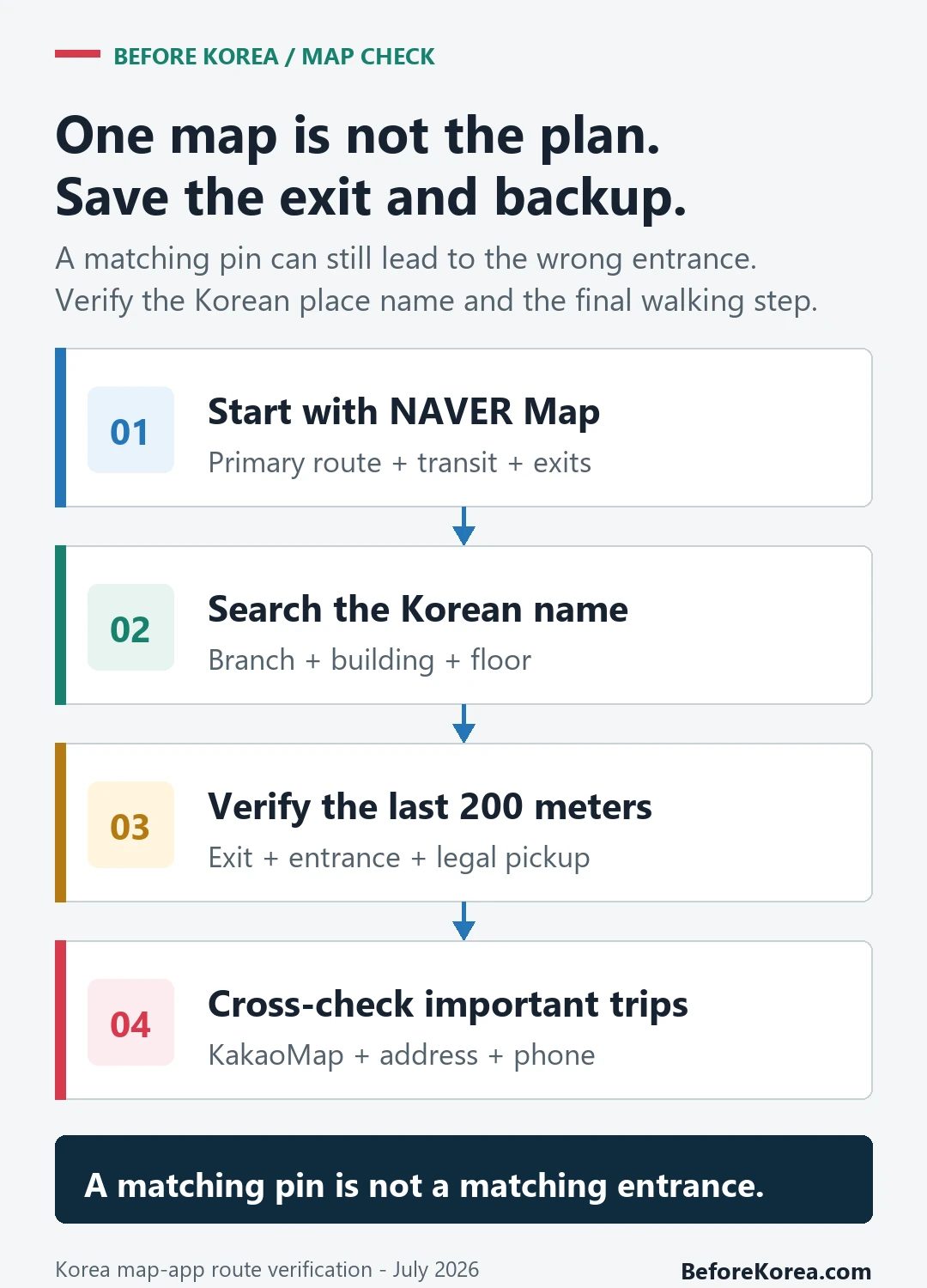
Most first-time visitors should use Naver Map as their primary app and keep Kakao Map as a backup for cross-checking Korean place names, routes, branches, and final entrances. Save the destination’s Korean name, address, station exit, and entrance before an appointment or reservation.
Last checked: September 1, 2026. App screens and route results can change, so re-check the official service pages and the live route before relying on them.
Naver Map is usually the lower-friction first choice for this travel workflow. Kakao Map remains useful when you want a second local result or already use Kakao services, so test both with one real destination before the trip instead of assuming either app will handle every branch or entrance.
Start with the place name and exit
Use Naver Map as your primary map app for a first trip to Korea. Add Kakao Map if you want a second local map for cross-checking routes, Korean place results, nearby food, and Kakao ecosystem links. Do not rely on either app blindly. For important destinations, save the Korean name, address, phone number, nearest station, subway exit, and a screenshot.
Naver Map or Kakao Map by travel task
| Need | Naver Map | Kakao Map | Tourist advice |
|---|---|---|---|
| First install | Usually easier for visitors | Useful but may feel more local | Start with Naver Map. |
| Subway exits | Strong for station and walking workflow | Also useful for routes | Check exit number before leaving station. |
| English use | More common tourist recommendation | English support exists, but local data can still feel Korean-heavy | Save Korean names either way. |
| Local discovery | Strong place search and reviews | Strong local discovery and route tools | Cross-check when branch confusion matters. |
| Backup value | Primary app | Good second opinion | Install both for appointment-heavy trips. |
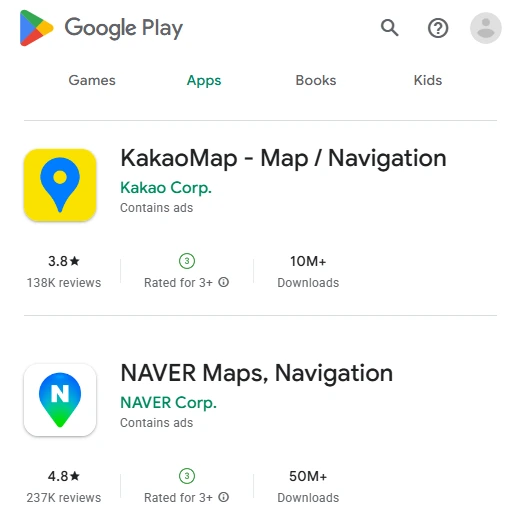
Why Naver Map is the safer first choice
NAVER describes NAVER Map as an all-in-one service for discovering places and finding routes across Korea. For a traveler, the useful details are branch names, entrances, floor information, reviews, photos, transit directions, and the final walk from the station—not just the map itself.
Naver Map is especially useful when your destination is tied to a subway station. You can search the place, route by public transit, check which line and transfer to use, then identify the exit number before walking. If your trip involves Myeongdong shopping, Hongdae cafes, Gangnam clinics, university neighborhoods, or large underground stations, this workflow matters more than a pretty map screen.
Where Kakao Map can help
Kakao’s official service page lists public-transit, walking, driving, bicycle routes, and nearby-place discovery. It is useful as a second local map when you want to cross-check a route, Korean place result, or link shared through a Kakao service.
For most short-term visitors, the deciding factor is setup friction. If you are comfortable with mixed Korean-English screens and comparing branch names, test Kakao Map before travel and keep it as a backup.
The real issue: Korean place names
Both apps become stronger when you stop relying only on English. Korean business names often have branch words, neighborhood words, floor details, and building names that do not translate neatly. A romanized name can also have several spellings. For example, the same Korean sound can appear in English in slightly different ways, while the Korean spelling stays exact.
When the destination matters, save the Korean name. If a restaurant, hotel, clinic, or friend sends you a Korean address, do not replace it with your own English guess. Copy it into the map app, compare the result, and save it as a favorite or screenshot.
Use both apps for high-stakes days
You do not need two map apps for every cafe. You do want a backup for airport transfers, hotel changes, medical appointments, beauty clinics, ticketed events, late-night taxis, and restaurant reservations with cancellation fees. For those moments, search the destination in both Naver Map and Kakao Map. If both point to the same building and address, your confidence goes up. If they disagree, check the official website, booking message, or phone number before moving.
Tourist scenarios
First-time Seoul sightseeing
Use Naver Map as your main app. Save major places and subway exits. Kakao Map is optional unless you enjoy comparing routes.
Food-heavy trip
Use Naver Map for reliable search and routing, but Kakao Map can help you cross-check nearby places and local discovery. Always check the branch.
Clinics, salons, and appointments
Use both. Save building name, floor, Korean address, phone number, and subway exit. Do not trust a single English pin if money or time is at stake.
Late-night taxi or hotel return
Keep the Korean hotel address outside your map app too. A screenshot is useful if your battery is low or a driver needs to see the address quickly.
What about Google Maps?
Google Maps can help with general orientation and saved international habits, but Korea-specific travel still benefits from local apps. The question should not be Google versus everything else. A safer setup is Google Maps for your familiar global layer, Naver Map for Korean transit and place work, and Kakao Map as a second local reference when needed.
Before arrival setup
- Install Naver Map and set language preferences.
- Install Kakao Map if you want a local backup.
- Save your hotel in Korean and English.
- Save airport, first meal, first station, and emergency meetup point.
- Test one route from your hotel to a famous landmark before you fly.
FAQ
Should I install both?
Yes if your itinerary includes appointments, restaurant reservations, rural transfers, or late-night movement. No if you want the simplest phone setup and will stay in central Seoul with flexible plans.
Can I use English only?
You can use English for many major places, but save Korean names and addresses for anything important. That habit prevents more mistakes than switching apps.
Related Before Korea guides
- Naver Map in Korea: Setup Guide for Visitors
- Google Maps vs Naver Map in Korea
- Korea Travel Apps Guide
- Korea Travel Apps Setup Before Arrival
- Can Foreigners Use KakaoTalk in Korea?
- Translation Apps in Korea
Official map and app links
Use the official web maps, app-store listings, service pages, and language help below to confirm the current interface before an important trip.
- Kakao Map web: Cross-check Korean place names, local search, and routes.
- KakaoMap on Google Play: Download the Android app from Google Play.
- KakaoMap on the App Store: Download the iPhone app from the App Store.
- KakaoMap official service page: Check current route modes and nearby-place features.
- NAVER Map web: Test place names, Korean addresses, routes, and station exits.
- NAVER Map on Google Play: Download the Android app from Google Play.
- NAVER Map on the App Store: Download the iPhone app from the App Store.
- NAVER Map official service page: Check current place-discovery and route information.
- NAVER Map app page: Check the current official app overview.
- NAVER Map language help: Check the current in-app language-setting path.