Google Maps can help you understand Korea, save places, and check broad location context, but you should still keep Naver Map or Kakao Map for actual routes, subway exits, walking detail, and local place search. Even after Korea's 2026 conditional approval of Google's high-precision map-data export request, travelers should treat Google Maps improvement as a transition, not a guarantee on their travel date.
Last checked: June 2, 2026. Korea map-data policy, Google Maps functionality, and local app features are changing. Test routes on your phone close to departure.

The current practical answer
| Need | Use Google Maps for | Use Naver/Kakao for |
|---|---|---|
| Trip planning | Saving broad places and understanding the city layout | Checking exact route, exit, and final walk |
| Restaurant search | English discovery and review comparison | Korean name, branch, hours, phone, and local map pin |
| Subway/walking route | General orientation | Station exit, transfer detail, and last five minutes |
| Taxi destination | Finding the English place idea | Copying the Korean address or name |
Why the 2026 news does not remove the backup rule
In February 2026, South Korea conditionally approved Google's request to export high-precision map data under security requirements. That matters, but a government approval and the traveler's app experience are not the same thing. Features can roll out gradually, differ by app version, and still require local testing.
So the safer travel rule remains simple: use Google Maps if it helps you discover and organize places, but verify the actual route in Naver Map or Kakao Map before leaving the hotel.
How to test whether Google Maps is enough for your trip
Do not decide based on someone else's screenshot. Test your own route before departure. Search your hotel, one restaurant, one subway route, one airport route, and one small business appointment. If Google Maps gives clear transit, walking, exit, and business details for the exact places you need, it can be useful. If it becomes vague, switch to a local map app.
- Search your hotel in Google Maps and in Naver Map.
- Compare the Korean address, phone number, and nearest station.
- Check whether the route shows a subway exit number.
- Look at the last walking segment from the exit to the door.
- Screenshot the local-map result before the day of travel.
The last five minutes are where people get lost
In Korea, the difference between the right station and the right exit can be ten minutes, stairs, a wide road crossing, or a completely different side of a building. For clinics, salons, restaurants, and hotels in multi-floor buildings, the map pin only gets you near the entrance. The floor, branch name, and building sign still matter.
Where Google Maps can still be useful
Google Maps is still useful for broad research, saving lists, comparing neighborhoods, checking the relative location of attractions, and sharing a place idea with friends who do not use Korean apps. It is also familiar, which matters when planning from home. The problem is relying on it for the local execution layer without checking.
Use Korean names as the bridge
The strongest map workflow in Korea uses Korean names as the bridge between apps. Find the English place idea, then capture the Korean business name, phone number, or road address. A Korean phone number can be especially useful because it often identifies the exact branch in Naver Map or Kakao Map.
| Item to save | Why it helps | Where to use it |
|---|---|---|
| Korean place name | English names may be inconsistent | Naver Map, Kakao Map, taxi apps |
| Phone number | Helps identify branches | Map search and reservations |
| Road-name address | More precise than a hotel/brand name | Taxi, delivery, appointment notes |
| Station exit | Prevents wrong-side-of-road mistakes | Subway and walking routes |
A reliable map workflow
- Find the place in Google Maps if English discovery is easier.
- Copy the Korean name, phone number, or address.
- Paste it into Naver Map or Kakao Map.
- Check the station exit, final walking route, building/floor, and phone number.
- Screenshot the Korean name and route before you lose data or battery.
Common tourist mistake
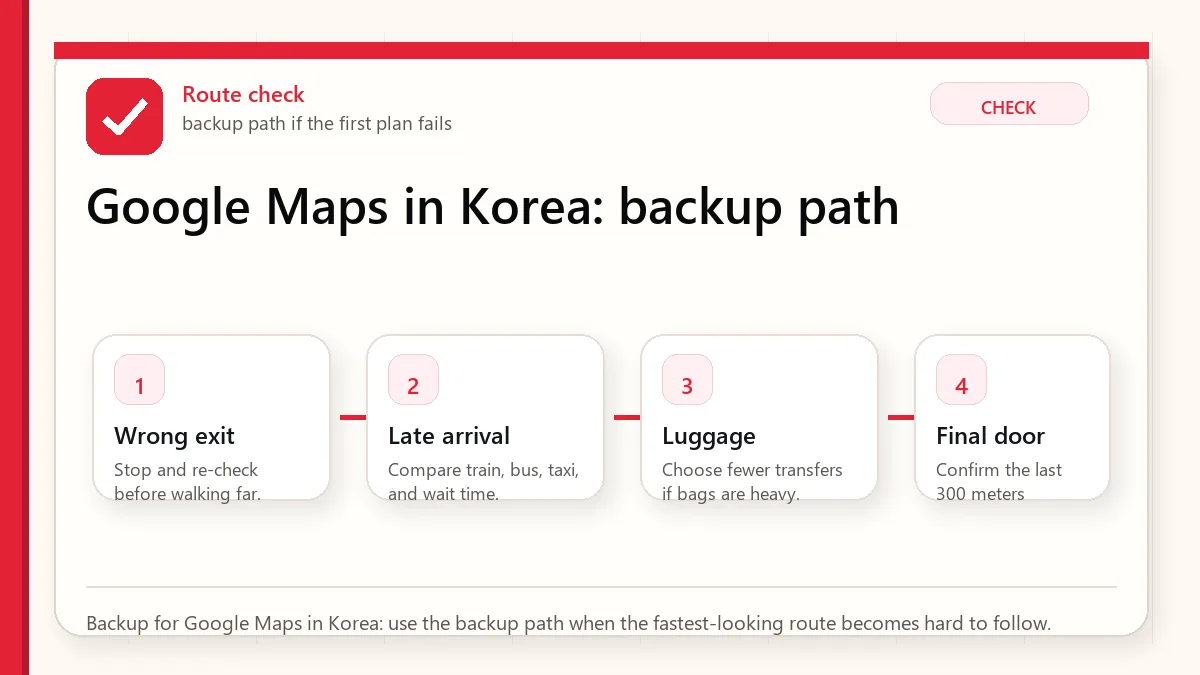
The common mistake is not using Google Maps. The mistake is using only Google Maps and assuming the final walking route, business branch, or transit detail is complete. If you have a reservation, appointment, luggage, stroller, rain, or a late-night arrival, verify the route in a Korea-local map app.
When this matters most
This matters most for airport transfers, clinics, salons, fan events, guesthouses, restaurants in side streets, subway transfers, and any destination inside a large building. Tourist attractions with obvious entrances are easier. Small local places are where map precision saves time.
Official and current links
- NAVER Map official service page: Check NAVER's service page.
- NAVER Map on Google Play: Check the current Android app listing.
- KakaoMap official service page: Check Kakao's map service page.
- KakaoMap on Google Play: Check the current Android app listing.
Related guides
- Naver Map vs Google Maps in Korea
- Best Korea map apps for tourists
- How to use Naver Map in English
- Korea subway and bus guide
FAQ
Does Google Maps work in Korea?
It works for some planning and orientation, but travelers should still verify routes, exits, local business details, and final walking directions in Naver Map or Kakao Map.
Did Korea approve Google map-data export in 2026?
Yes, reports in February 2026 said Korea conditionally approved Google's high-precision map-data export request. That does not mean every traveler should rely on full Google Maps functionality immediately.
Which map app should I install before Korea?
Install Naver Map first, keep Kakao Map as a local backup, and use Google Maps for broad discovery if it helps you.