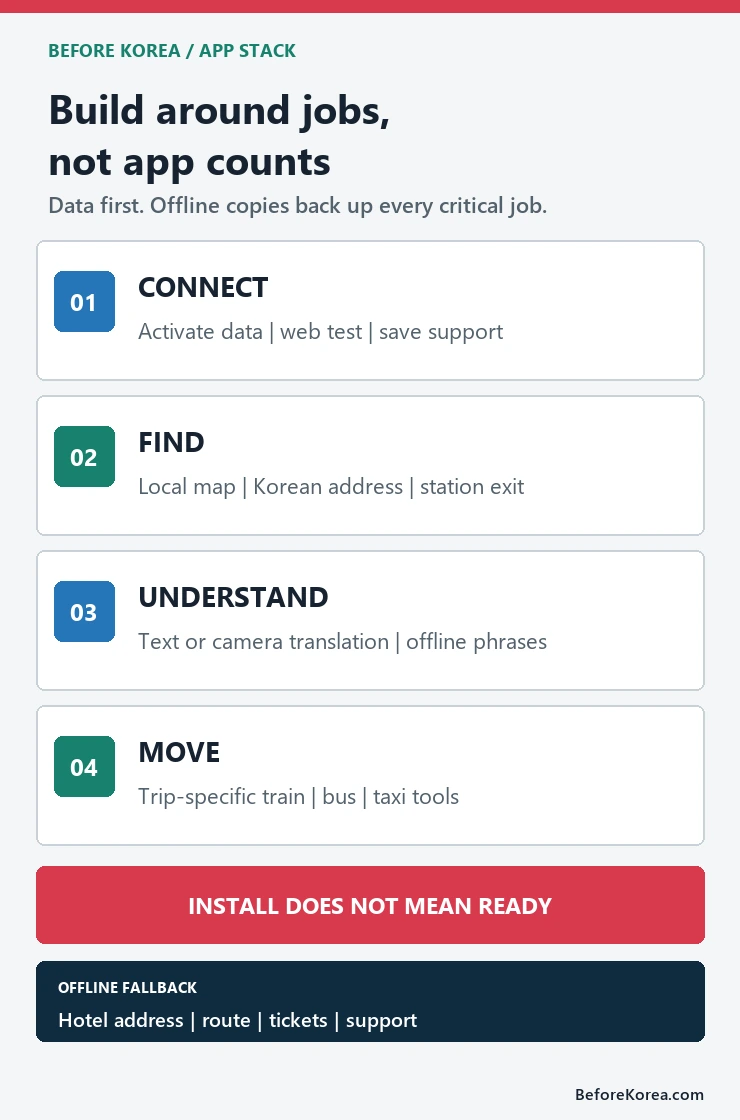
Most visitors do not need a phone full of Korean apps. Start with working mobile data, NAVER Map for local place search and routes, a translator such as Papago, and only the train, bus, or taxi tools that match your itinerary. Open every critical app before departure and keep your hotel address, first route, tickets, and support details available offline.
This page helps you decide which jobs your app stack must cover. For the exact order to test logins, verification, payments, and backups, use the separate Korea travel apps setup before arrival guide.
Choose an app by the job
| Job | Practical first choice | Backup outside the app |
|---|---|---|
| Get online | Roaming, eSIM, SIM, or portable Wi-Fi already activated | Provider support page and activation details |
| Find places and routes | NAVER Map with the interface set to a supported language | Hotel name and address in Korean plus a saved first route |
| Translate text or speech | Papago or another translator tested with Korean text and camera input | Key phrases and destination names saved as text or screenshots |
| Book trains or buses | KorailTalk, Let’s Korail, or the booking route named for your trip | Ticket, reservation number, departure station, and time |
| Request a taxi | One visitor-friendly taxi app that accepts your account and payment method | Korean destination text and the hotel’s phone number |
| Message a host or guide | KakaoTalk only when the real contact or reservation uses it | Email, booking chat, or phone contact |
For local navigation, the dedicated NAVER Map setup guide explains place search, Korean names, and route checks. For language tools, compare text, camera, and offline functions in the translation apps guide. A broad app list should not repeat those narrower instructions.
Use the smallest stack that covers your trip
Data comes first because every other tool depends on it. Choose your Korea eSIM, SIM, or roaming plan before choosing extra apps. Then add one local map and one translation tool. Add KorailTalk only if you will use trains, a bus-booking route only if your itinerary needs intercity buses, and a taxi app only after confirming that sign-up and payment work for you.
Two apps that solve different failure modes can be useful. Three apps that all perform the same search usually create more logins, notifications, and stale saved places. The goal is not maximum coverage; it is one working path and one realistic fallback for each important decision.
Test the failure points before departure
- Confirm data access. Complete activation far enough to know what must happen after landing, and save the provider’s support route.
- Open each app and set the language. Do not assume the phone language changes every screen inside the app.
- Search your first destination. Save the exact hotel branch in English and Korean, then check the station exit or pickup point.
- Test the account gate. Check whether a foreign phone number, email login, identity step, and card are accepted before relying on a booking or ride.
- Save the result outside the app. Keep the ticket, reservation number, address, route, and cancellation or support link in a folder you can open offline.
NAVER announced passport verification for foreign users in June 2026, including access to some NAVER Map booking, order, and payment functions without a Korean mobile number. That is a useful change, but it is still a feature to test on your own account rather than a promise that every place, language, card, or transaction will work. Read the NAVER announcement for its stated scope.
Keep an offline fallback
- Your accommodation name, full Korean address, phone number, and check-in instructions
- The first airport-to-accommodation route and the last practical alternative
- Train, bus, attraction, or tour tickets with reservation numbers
- A payment card, some emergency cash, and a transit-card plan
- Provider support links and the 1330 Korea Travel Helpline details
A screenshot is useful only when it contains enough context to act: the full address, date, time, terminal, station, booking reference, or support route. A cropped confirmation with no place or date can create more confusion than it prevents.
What the 2026 official guides currently confirm
VISITKOREA’s May 2026 essential transit apps guide lists KorailTalk for trains, NAVER Maps for routes, Klook for express-bus booking, and k.ride for taxis. Its app-language lists and download links are a point-in-time starting place, not a guarantee that sign-up, inventory, fares, cards, or verification will be identical on your travel date.
The broader VISITKOREA Helpful Apps & Resources page, marked as updated in June 2026, also identifies Let’s Korail and KorailTalk as KORAIL’s train platforms and includes Papago, NAVER Maps, k.ride, and the government Emergency Ready app among traveler resources. Check the current official page close to departure because supported languages and service terms can change.
What an installed app does not prove
- A foreign phone number, passport, or card will pass every account step.
- A map listing’s opening hours, entrance, branch, or pickup point is official or current.
- An English interface means the driver, merchant, station staff, or support channel uses English.
- A saved route will remain valid after a timetable, road, weather, or service change.
- A booking or delivery feature available to one visitor will work for every account and address.
When a detail matters, verify it with the operator, venue, ticket, or official notice. Apps are tools for reaching the source; they are not proof that a service is available.
Delivery apps need separate planning
Food delivery is not a normal extension of map search. It can require a serviceable Korean address, building instructions, identity or phone checks, a supported payment method, and live contact with the rider. Review the Korea delivery apps for foreigners guide before treating delivery as an arrival-day plan. Keep a nearby restaurant, convenience store, or hotel-desk option as the fallback.
Related Before Korea guides
- Best Korea subway apps for tourists
- Kakao T vs Uber Korea
- Can foreigners use KakaoTalk in Korea?
- Korea travel checklist for a first trip
Official VISITKOREA and NAVER sources checked July 22, 2026.