Foreign visitors search for “Kakao T pay cash” because the taxi problem in Korea is rarely just “how do I call a taxi?” The real problem is a chain: Can I make an account? Can I search the destination? Can the driver find my pickup point? Can I pay if my foreign card will not register? What do I do if the app screen changes or the option I expected is not there?
Last checked: July 22, 2026. Re-check the official app, service, or app-store page before acting, because routes, prices, labels, rules, app screens, eligibility, and store/service policies can change.
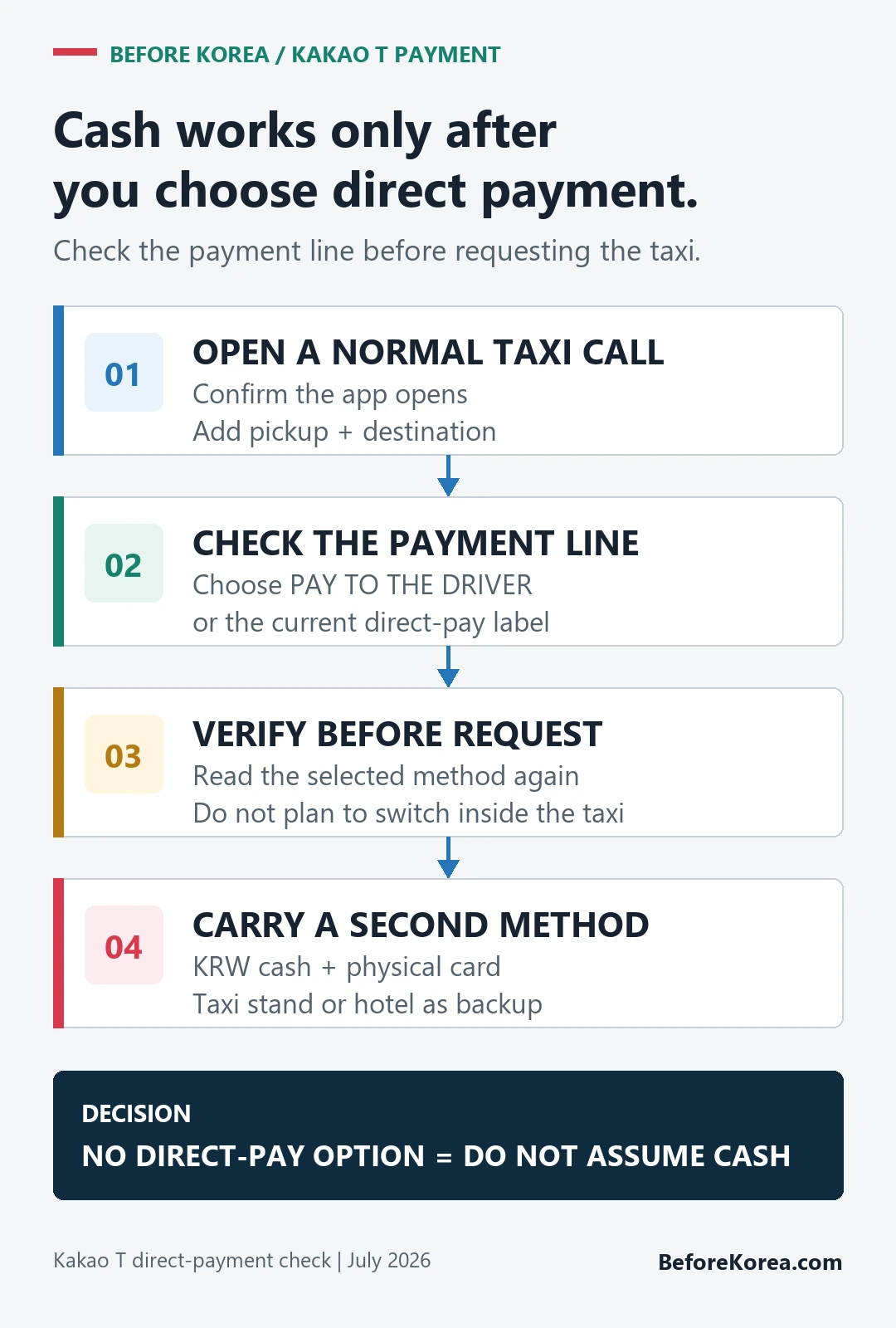
Kakao T is widely used in Korea, but foreign visitors should still keep a backup. Kakao Mobility’s current taxi FAQ says overseas-issued Visa, Mastercard, JCB, and American Express credit or debit cards can be registered for taxi use. That support does not guarantee every issuer, account, or authentication attempt will work. Direct payment is a fallback only when the current booking flow explicitly offers it, so check the payment line before requesting the taxi.
Start with what can fail at payment
On a normal Kakao T taxi call, look for the direct-payment option before confirming. Kakao Mobility says users without an eligible registered card can choose a normal call and pay the driver directly. VISITKOREA’s ride-hailing guide lists cash, credit card, or T-money for payment to the driver and tells travelers to select “Pay to the driver” before requesting the taxi. If that option is absent, do not assume the ride can be changed to cash later; use k.ride, a taxi stand, hotel help, or another available option.
What to check before you need a taxi
| Check | Why it matters | Backup |
|---|---|---|
| Account login | Kakao ecosystem setup can be the first barrier. | Try setup before arrival. |
| Phone number | Some verification flows may not behave like a local Korean number. | Use k.ride or hotel help. |
| Payment option | A supported foreign card can still fail, and direct payment must be selected before booking. | Carry KRW cash and a physical card; use k.ride or a taxi stand if direct payment is absent. |
| Pickup point | Drivers need a clear roadside location. | Use a landmark, hotel entrance, or taxi stand. |
| Destination Korean address | English names can confuse branch or building selection. | Show Korean address screenshot. |
Step 1: test account setup before arrival
Do not wait until midnight outside a station to discover whether your app login works. Install Kakao T before your trip if it is available to you, and test whether you can open the taxi flow, search places, and reach the payment selection screen. You do not need to book a ride during the test. You only need to know whether the app is usable on your phone and account.
If Kakao T setup depends on your Kakao account, make sure your KakaoTalk login is stable too. If you are already having trouble with KakaoTalk verification, do not make Kakao T your only taxi plan.
Step 2: search destination in Korean when possible
For hotels and major landmarks, English may work. For restaurants, clinics, event venues, guesthouses, and small buildings, Korean is safer. Save the destination from Naver Map or your booking confirmation, including the Korean address and phone number if available. If the app shows several similar results, compare the neighborhood and distance before selecting one.
A taxi driver can only drive to the point you requested. If you choose the wrong branch, the app did not fail. The search step failed. This is why a Korean address screenshot is one of the most useful travel tools in Korea.
Step 3: choose a pickup point a driver can actually reach
Ride-hailing apps can place a pin somewhere that is technically close but practically awkward. In Korea, a driver may not be able to stop safely on every road, near every bus lane, or in front of every crowded market street. If you are in a dense area, choose a hotel entrance, station exit, main road, taxi stand, or visible landmark instead of a tiny alley.
When you are leaving a department store, underground mall, or subway station, go above ground first and choose the exit side carefully. “Gangnam Station” is not a pickup point. “Gangnam Station Exit 11 roadside” is much clearer.
Step 4: check payment before confirming
This is the decisive step for a Kakao T cash booking. Before tapping the final request button, verify that the payment line says “Pay to the driver,” direct payment, or the current equivalent. If the screen shows only in-app payment and your card is not working, cancel the request flow and use a backup instead of assuming the driver can switch it later.
Cash in Korean won is the cleanest fallback, but many taxis also accept cards in the vehicle. Still, do not build your whole plan around one payment method. Carry some cash, keep a physical card, and know your backup app or taxi stand.
Step 5: communicate simply
You do not need to explain your whole life to the driver. For normal rides, the destination is already in the app. If the driver calls or messages, translation can be difficult, especially while you are standing outside. Use simple pickup notes when the app allows them, such as a station exit, hotel entrance, or landmark. If you cannot communicate, canceling and rebooking from a clearer pickup point may be better than wandering around while the taxi waits somewhere else.
When k.ride may be easier
Kakao Mobility also operates k.ride, a foreigner-focused ride app. It may be easier for some visitors because it is designed around foreign traveler needs. The tradeoff is that service type, pricing, availability, and app rules may differ from standard Kakao T. Treat it as a valuable backup, especially if you cannot use Kakao T payment or account features reliably.
Other backups
- Hotel front desk: Useful for early morning airport rides or when you need a clear pickup.
- Taxi stand: Good at stations, hotels, malls, and tourist areas.
- Street taxi: Works best when you are on a road where taxis can stop safely.
- Subway plus short taxi: Take transit closer, then taxi the final awkward segment.
- Written Korean address: Useful across every backup.
Common mistakes
- Testing too late: App setup should be tested before you need the ride.
- Choosing a vague pickup: Station name alone is not enough in busy districts.
- Assuming cash always appears: Check the selected payment option before confirming.
- Using English-only destinations: Korean addresses reduce branch and building confusion.
- No second plan: Taxi apps are helpful, but not a substitute for cash, hotel help, or transit knowledge.
FAQ
Can foreigners use Kakao T in Korea?
Some foreigners can use it, but setup and payment may vary by account, phone number, app version, and current service rules. Test before your trip and keep a backup.
Can I pay cash after booking Kakao T?
Yes, when the booking flow offers direct payment and you select it before requesting the taxi. Current official guidance lists cash, accepted cards, or T-money as driver-direct methods. If direct payment is not offered on your screen, do not assume cash will be accepted for that app booking.
Is k.ride better for foreigners?
It may be easier for some visitors because it is built for foreign travelers, but availability, service type, and pricing should be checked in the current app.
What should I show a taxi driver?
Show the Korean destination name, full Korean address, phone number if available, and a map screenshot. For hotels, save the hotel card or booking page too.
Related Before Korea guides
- Korea Travel Apps Setup Before Arrival
- Can Foreigners Use KakaoTalk in Korea?
- Foreign Card Not Working in Korea
- Payment in Korea: Cards, Cash, ATMs
- Translation Apps in Korea
- T-money Card in Korea: Tourist Guide
Official links to check
Use these official links when the next step matters. This guide explains what to watch for, but app downloads, eligibility, prices, routes, policies, and service rules can change.
- Kakao T official service page: Check Kakao's official Kakao T service information.
- Kakao T on Google Play: Download the Android app from Google Play.
- Kakao T on the App Store: Download the iPhone app from the App Store.
- k.ride official site: Check Kakao Mobility's visitor-focused ride app information.
- k.ride on Google Play: Download the Android app from Google Play.
- k.ride on the App Store: Download the iPhone app from the App Store.
- T-money official site: Check current card, top-up, refund, and mobile T-money information.
- VISITKOREA official travel site: Use this for current tourism notices, transport basics, and traveler support.
Sources and official checks
This guide was written for travel planning. App screens, fares, product labels, and service rules can change, so check the official pages below and the current app screen before paying or relying on one route.